Explore Summit Insights
See how Summit Insights streamlines oversight, automates LPAC workflows, and helps Texas districts keep every learner on a clear path from identification to reclassification.
Summit Insights™ manages LPAC, tracks student progress, and keeps your district compliant from the Home Language Survey to reclassification.
As the accountability layer of Summit 360™, Summit Insights syncs directly with Connect to Literacy™, so the instruction that moves students forward feeds your student records and accountability workflows. Summit Insights is included with Summit 360 — and only available as part of the full system.
%20(1).webp)
See how Summit Insights streamlines oversight, automates LPAC workflows, and helps Texas districts keep every learner on a clear path from identification to reclassification.
.avif)
Connect to Literacy™ supplies the learning experience. Summit Insights™ brings the evidence into the compliance workflow. Teachers and leaders switch between the two from one clear dashboard, so classroom progress and compliance records work together seamlessly.
.avif)


Every LPAC meeting, every milestone, every Emergent Bilingual student — from beginning-of-year identification to end-of-year reclassification decisions, with the records to prove it.
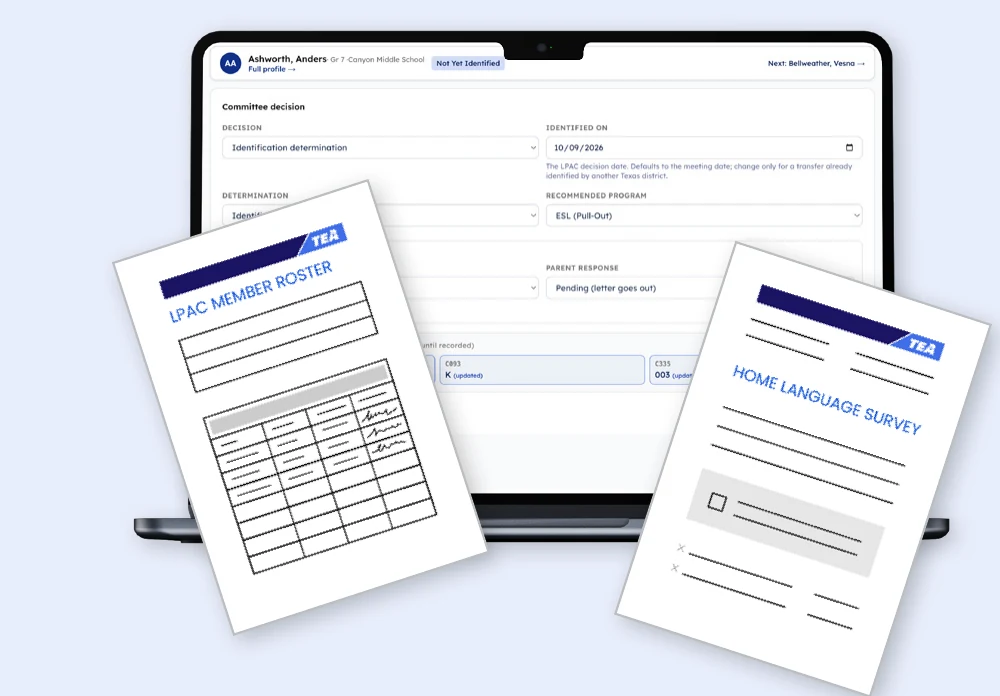
Set the Foundation
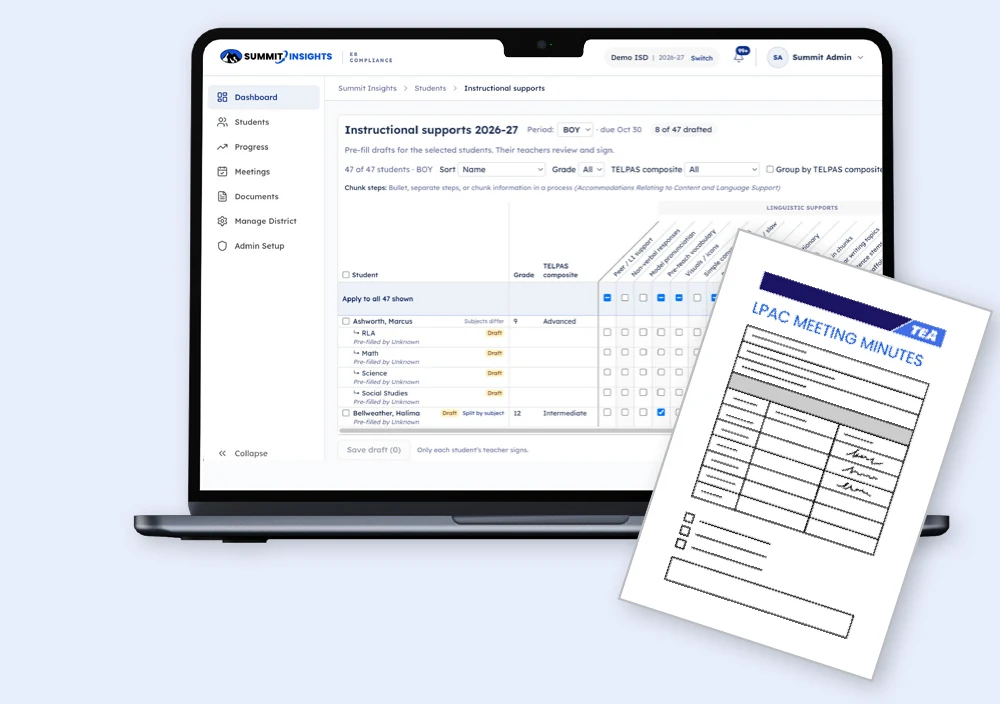
Monitor and Adjust
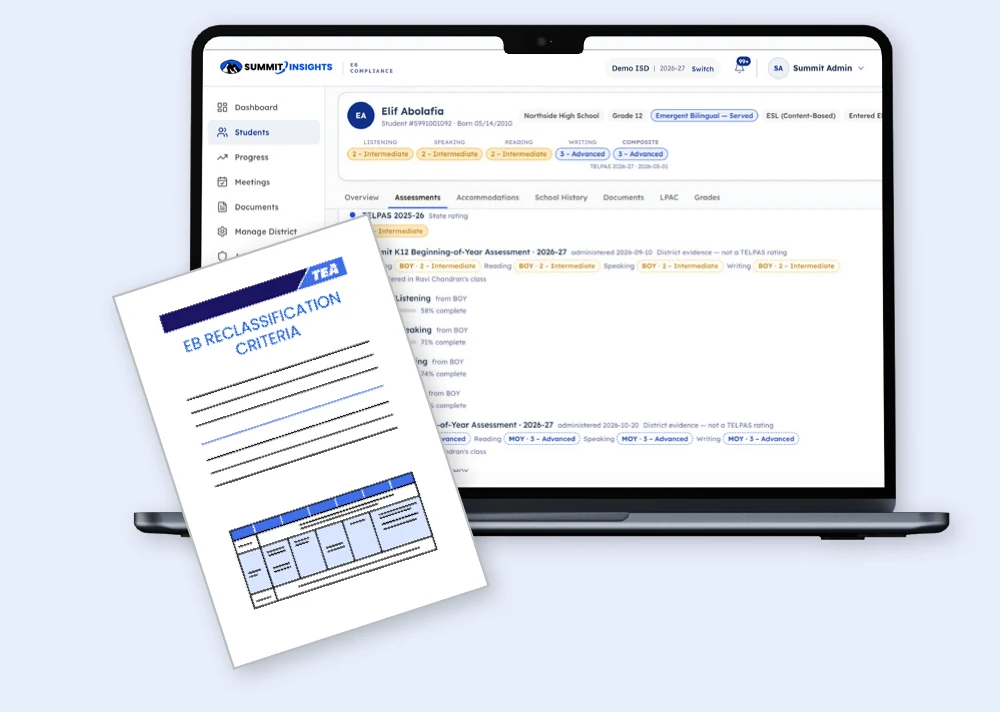
Reclassify with Confidence
Summit Insights’ central dashboard turns a complex compliance workload into clear priorities, actionable next steps, and a shared view of progress. Every count updates live from student records, so LPAC members know where each student stands. Automated reports keep every team member informed and on the same page, and meeting notes, signatures, and student information are stored in one central location.
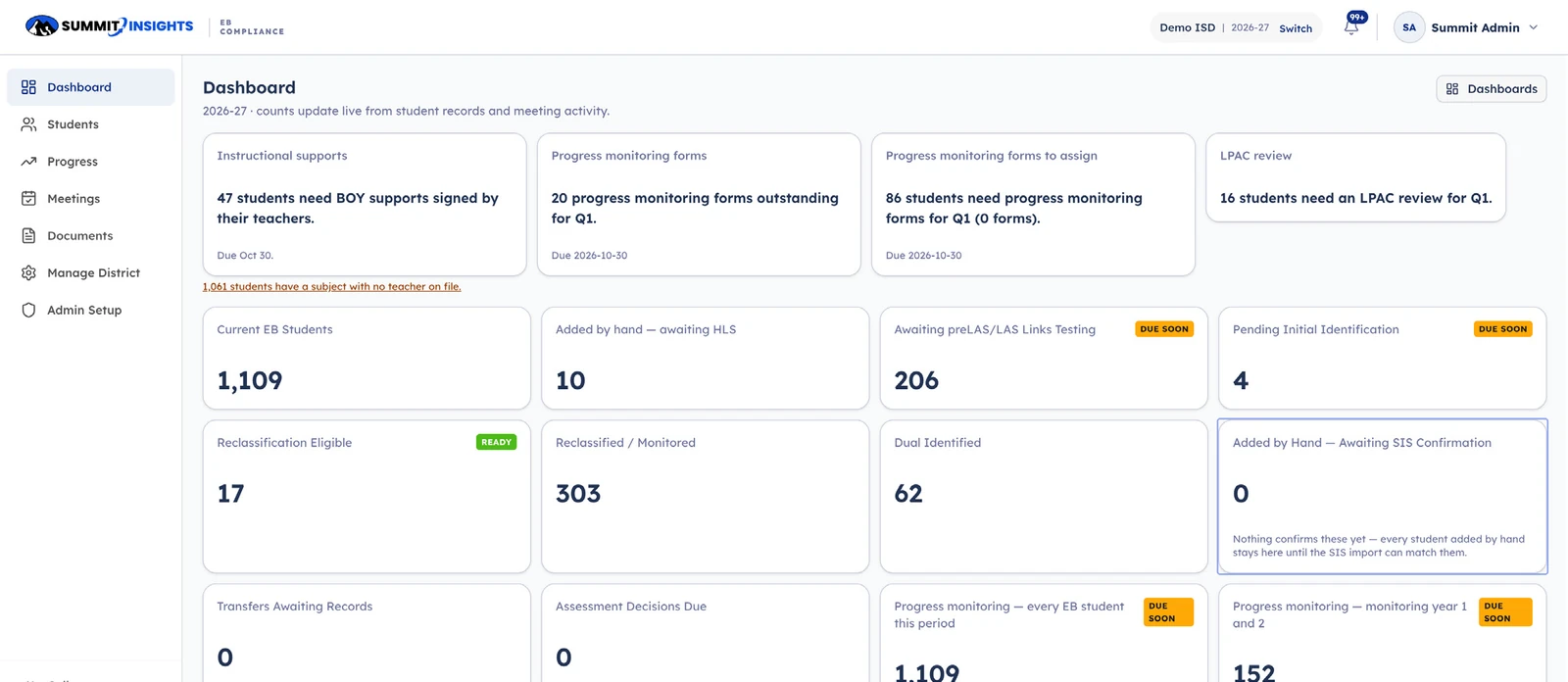
The LPAC sees what's been completed, what's still pending, and each form ready for review, all aligned to TEA's instructional supports tool.
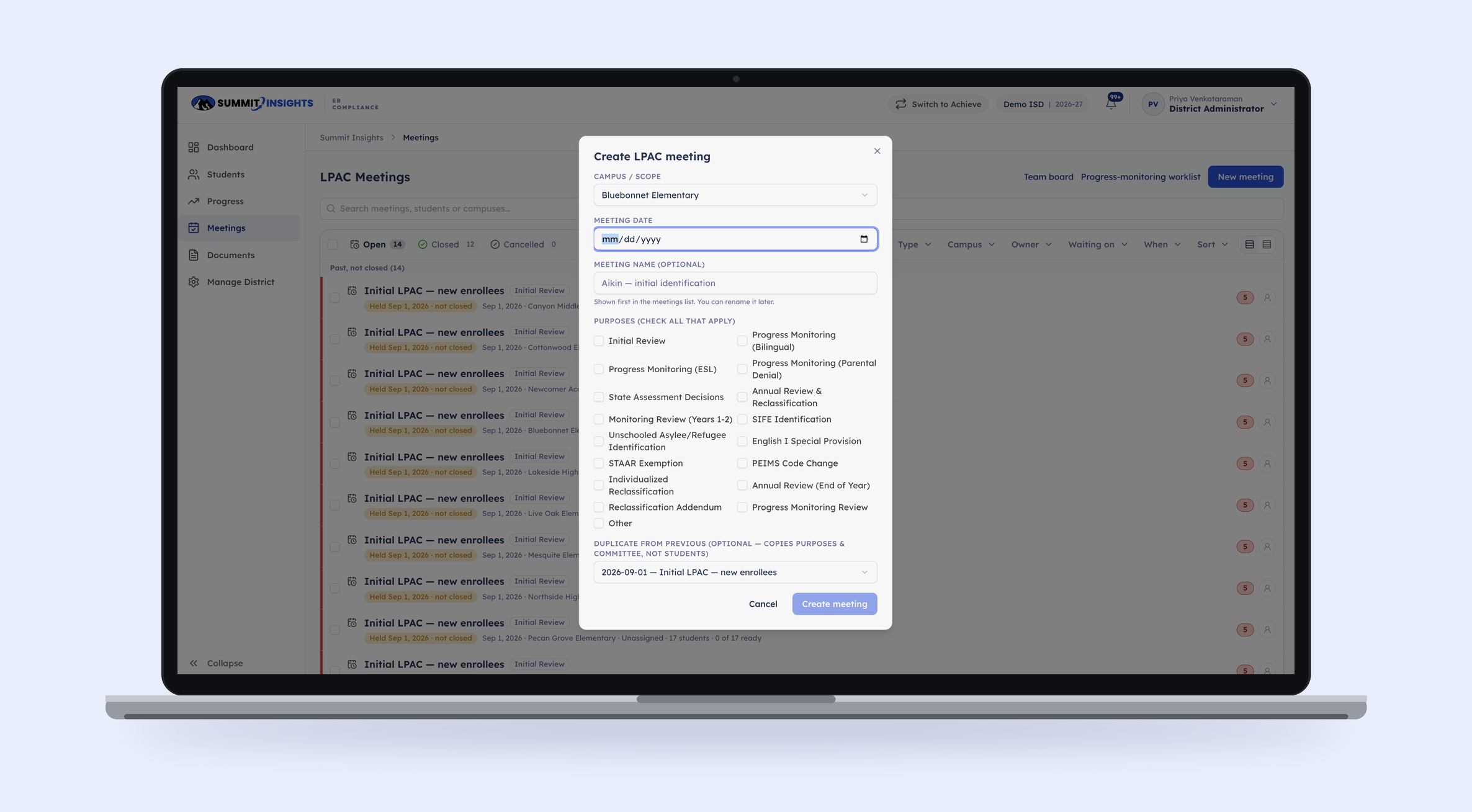
In Summit Insights, LPAC meeting records are housed on one screen: teachers select supports based on each student's individual linguistic and academic needs, then sign for the subjects they teach.

Filter every student by campus, program, TELPAS domain, designated supports, and more. Flags show what's overdue before it becomes a problem.

Home Language Survey, identification, placement, annual review, reclassification, and monitoring. One lifecycle, every milestone dated.

Home language, program model, years in U.S. schools, accommodations, school history, documents, LPAC records, and grades, all in one place.
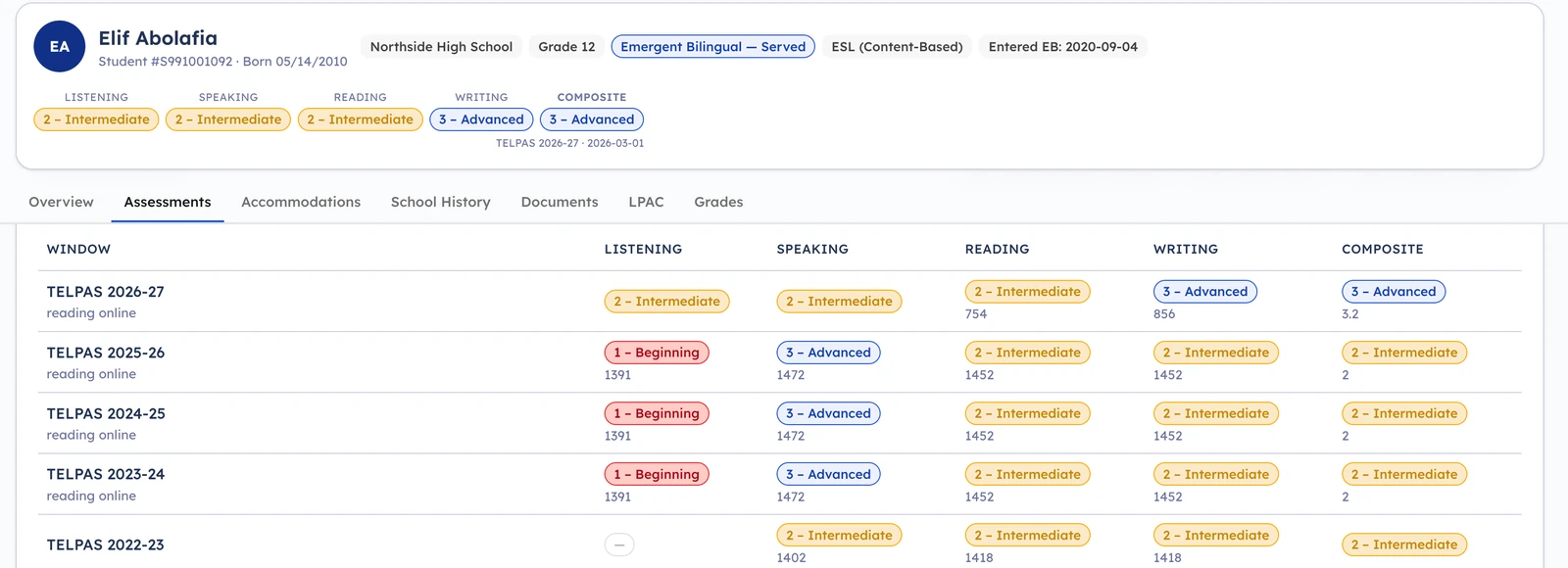
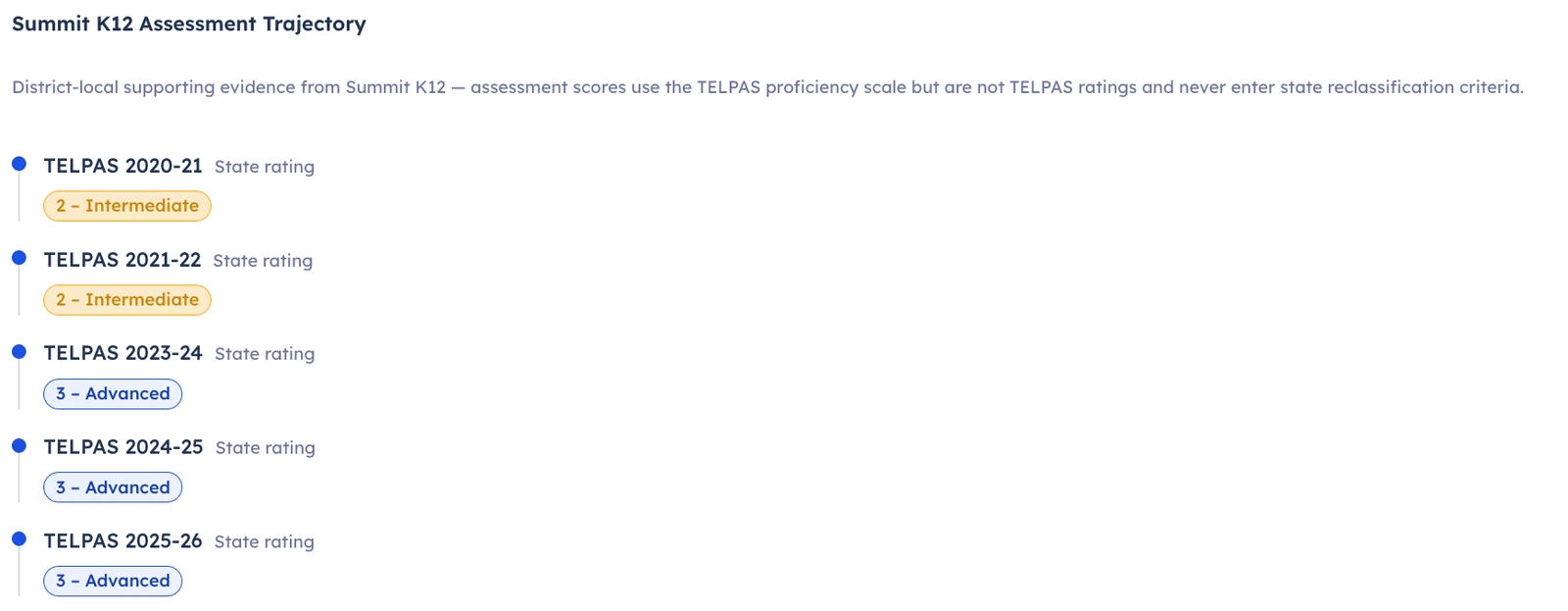
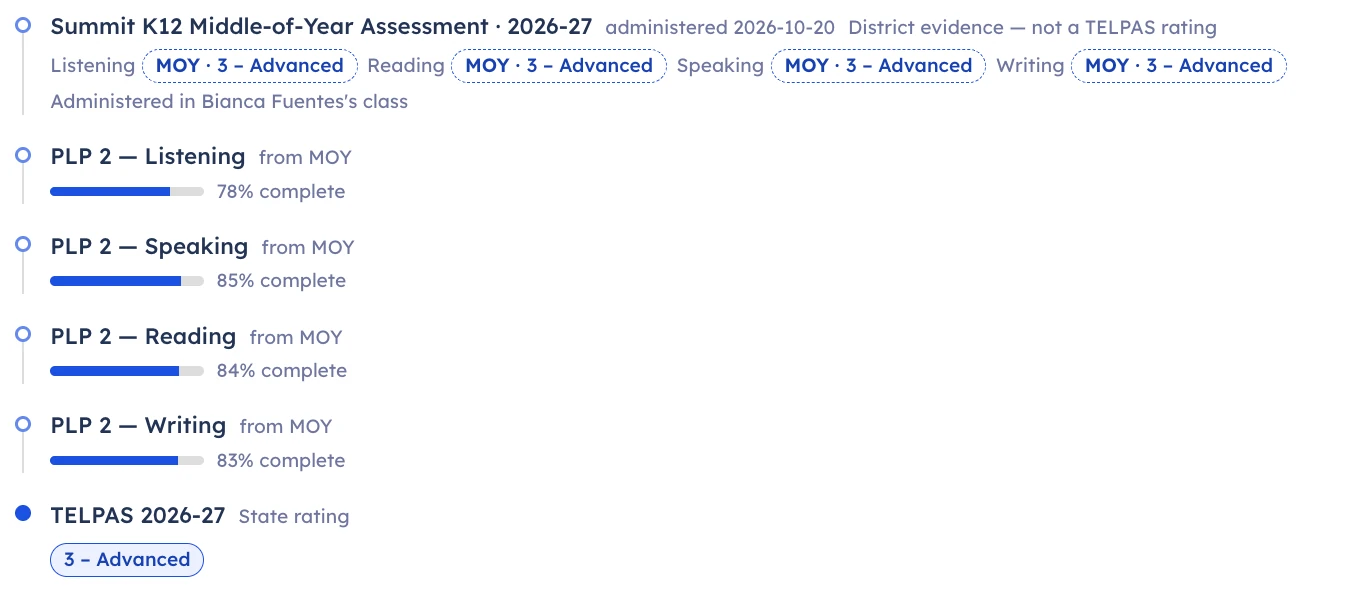
The assessment trajectory shows official TELPAS ratings beside Summit K12 beginning- and middle-of-year results and Personalized Learning Plan progress, clearly labeled and never mixed. Summit K12 results are district evidence and never enter state reclassification criteria.
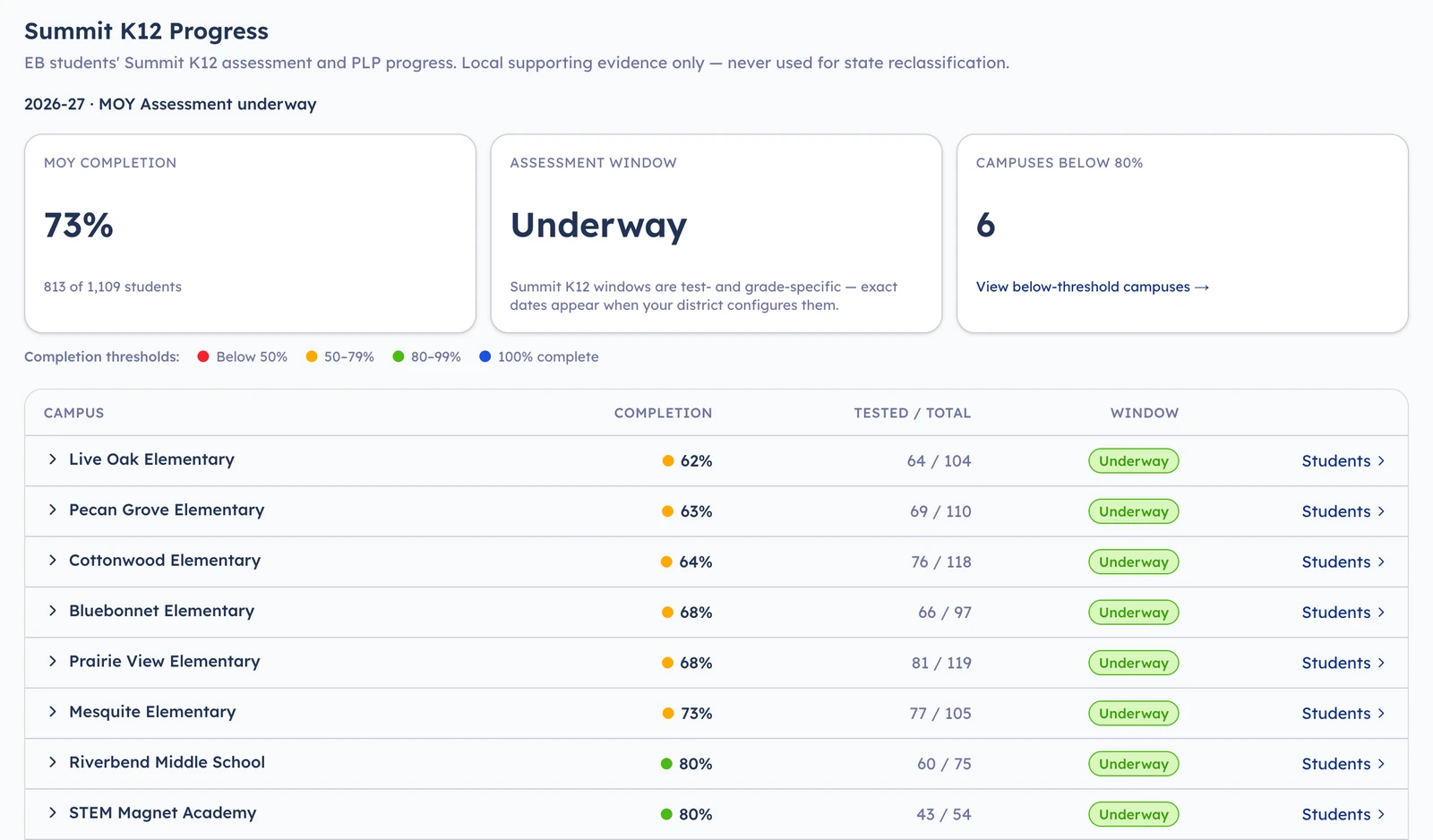
See ELD assessment completion and Personalized Learning Plan activity by campus, alongside the evidence educators use to support students. See which campuses fall below your completion thresholds while the assessment window is still open.
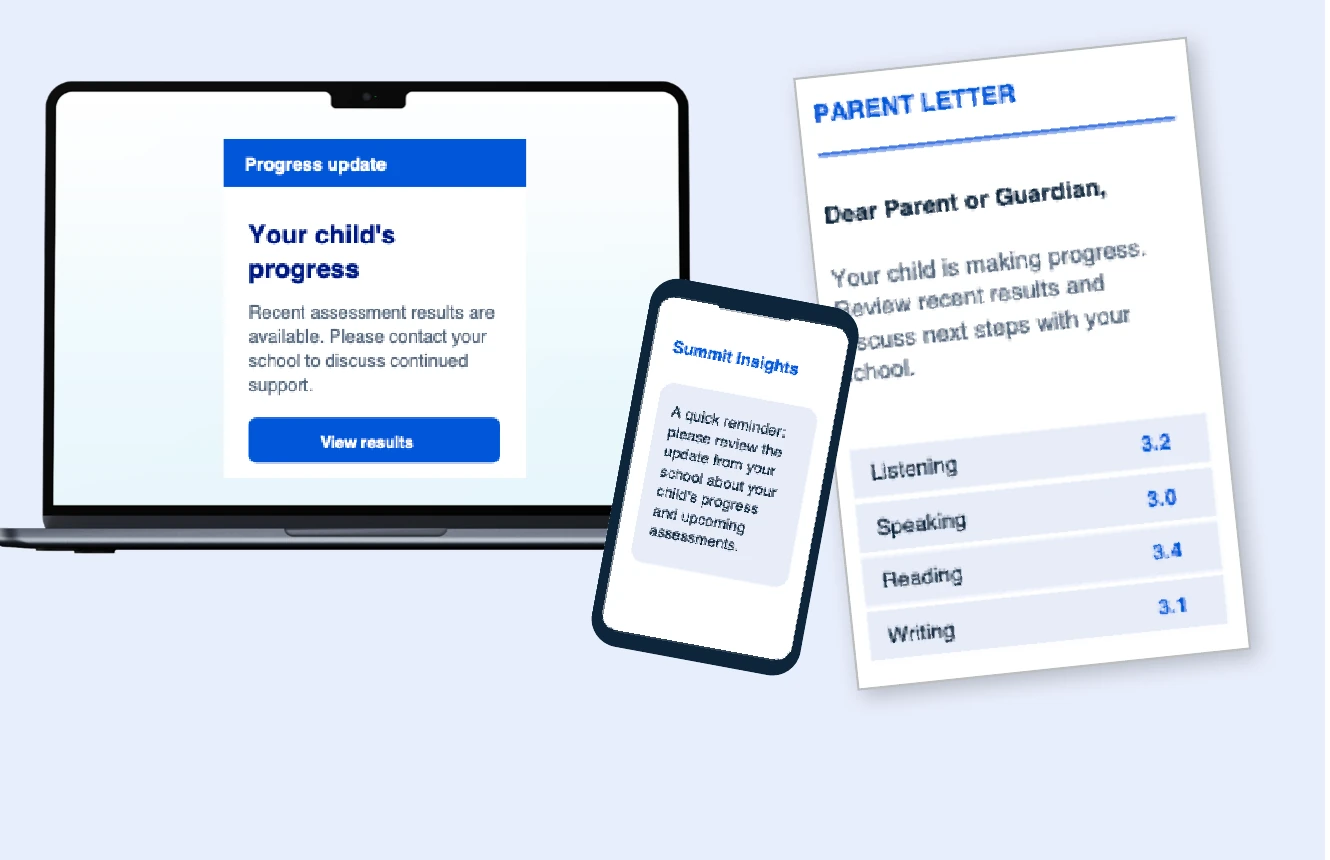
Reach parents with timely, understandable information about student progress, important milestones, required approvals, and next steps.
Communicate with parents in your student's home language:
Email - Auto-send messages to parents and guardians in 90+ languages
Print - Issue professional parent letters for official updates
Text - Regular updates that keep parents informed
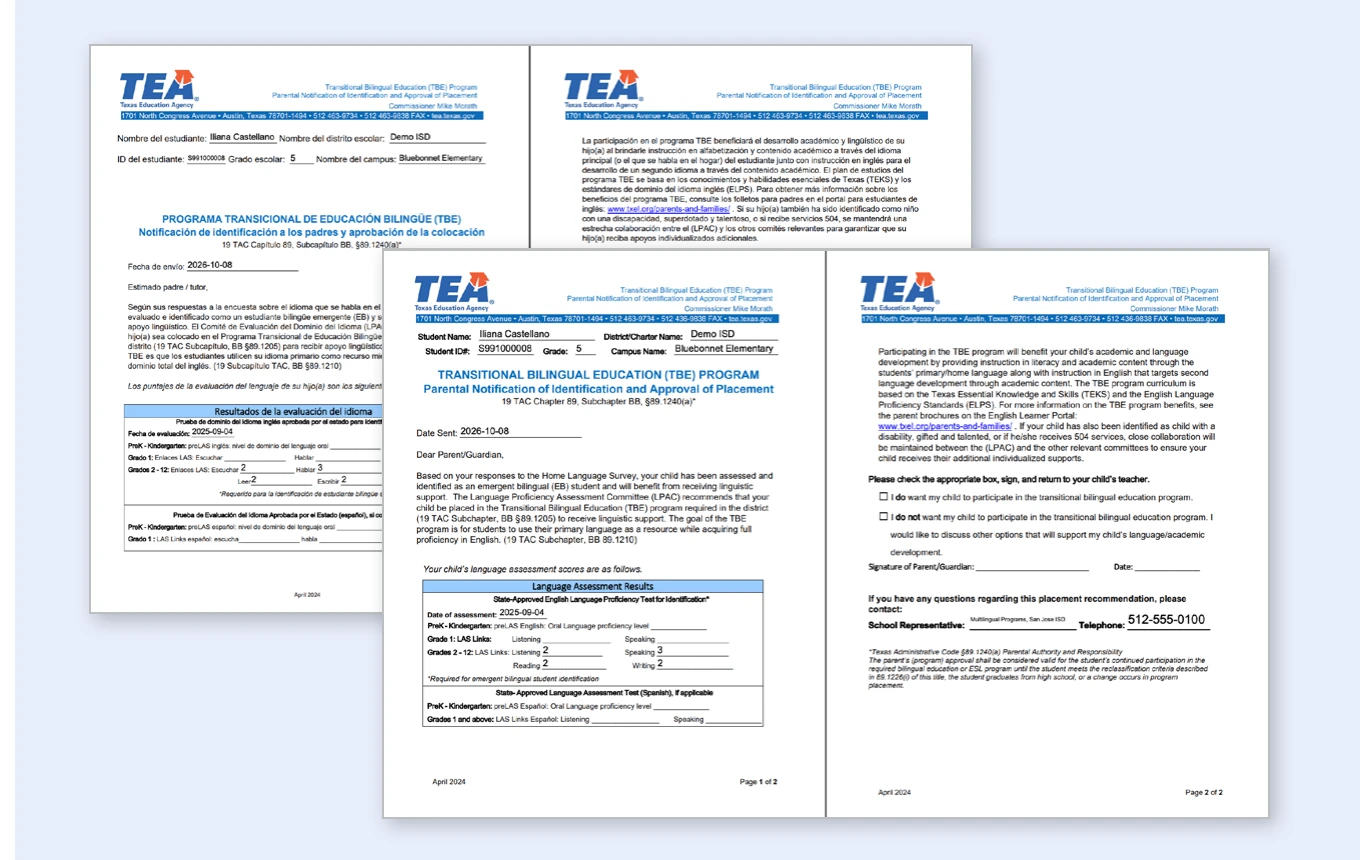
Parent letters go out in the family's home language via email, ready to review & sign at the touch of a button. Records of every letter and signature are recorded in Summit Insights.
TEA’s standardized letters are filled from the student record and current with 2026–27 rule changes, ensuing clear communication and year-round compliance across the district.
Teachers, campus administrators, and district leaders each see what they need — synced with your SIS, with single sign-on through Clever or ClassLink, and customized to TEA requirements inside the Summit 360 ecosystem.
Work with your existing student information system.
TELPAS, STAAR, NWEA MAP, and other assessments.
Bring student and assessment records into the workflow.
Access through Clever or ClassLink.
No. Summit Insights is the accountability layer of the Summit 360 ecosystem and is only available as part of the full system. It works alongside Connect to Literacy — the instructional engine — so compliance and instruction stay connected.
It brings EB identification and placement, LPAC meetings and documentation, TELPAS tracking, reclassification and former-EB monitoring, instructional supports, and TEA parent letters into one platform — with a live district dashboard, a compliance lifecycle for every student, and every required TEA document current with this year's rule changes.
Directly. Summit Insights syncs with Connect to Literacy, so beginning- and middle-of-year assessment results and Personalized Learning Plan progress land in Insights automatically. Teachers and leaders switch between the two from one launcher.
Official TELPAS ratings are imported and shown on each student's assessment trajectory alongside Summit K12 beginning- and middle-of-year results and PLP progress — clearly labeled, never mixed. Summit K12 results are district evidence that guide instruction; they never enter state reclassification criteria. The Reclassification Eligible tile shows who meets this year's criteria and is awaiting an LPAC decision.
LPAC meetings are prepared, held, and closed in one place: initial, annual, progress monitoring, designated supports, reclassification, or your own custom meeting types. Summit Insights builds the agenda, checks that required committee roles are seated, records minutes and decisions, and sends alerts that keep digital signatures moving.
Every reclassified student is tracked through monitoring years 1–4, and Title III former-EB monitoring reporting is built from current records — not last year's snapshot.
Yes. TEA's standardized letters are filled from the student record, current with 2026–27 rule changes, and sent in the family's language by email, print, or text — ready to review and sign.
Most compliance platforms stop at documentation. Summit 360 connects the compliance record to a continuously updated instructional engine, and keeps supporting students after reclassification — through the Seal of Biliteracy, CTE pathways, AP and dual credit, and college readiness. Compliance and instruction become one workflow, not two.
No. Summit K12 beginning- and middle-of-year results use the TELPAS proficiency scale so they're easy to read, but they are district evidence, not TELPAS ratings. They're clearly labeled in every student record and never enter state reclassification criteria. They give your team an up-to-date picture of growth between TELPAS windows so instruction can respond sooner.
Summit Insights syncs with your student information system and supports single sign-on through Clever or ClassLink. Historical assessment data — TELPAS, STAAR, NWEA MAP, and others — can be brought in so every student record starts complete. Teachers, campus administrators, and district leaders each see what they need.
Summit 360 gives every Emergent Bilingual learner in your district a clearer, faster path to reclassification and broader access to academic & graduation opportunities.

