.webp)
Expand each section below to see what's changed and what it means for your classroom.
New Growth Assessments and Reporting
A new, more precise way to track student growth.
Overview
New for 2026-27, K-2 Growth Assessments join the grades 3-8, Biology, IPC, Chemistry, and Physics assessments already available.
Every Growth Assessment measures a student's progress from the Beginning of the Year to the End of the Year, in a secure, standards-aligned testing environment.
What You'll Love
Designed to Show Growth for All LearnersAssessment confidentiality
- Ability to assign the assessment at multiple levels
- Student-only access to the assessment
- Lockdown browser
For PCs and Macs > Safe Exam Browser
For Chromebooks > Google Kiosk Mode
Data to support teacher instruction and student growth
- TEKS Mastery student report at the teacher, campus, and district level
- Admin and Teacher Growth reports to show gains from BOY to EOY
Overview
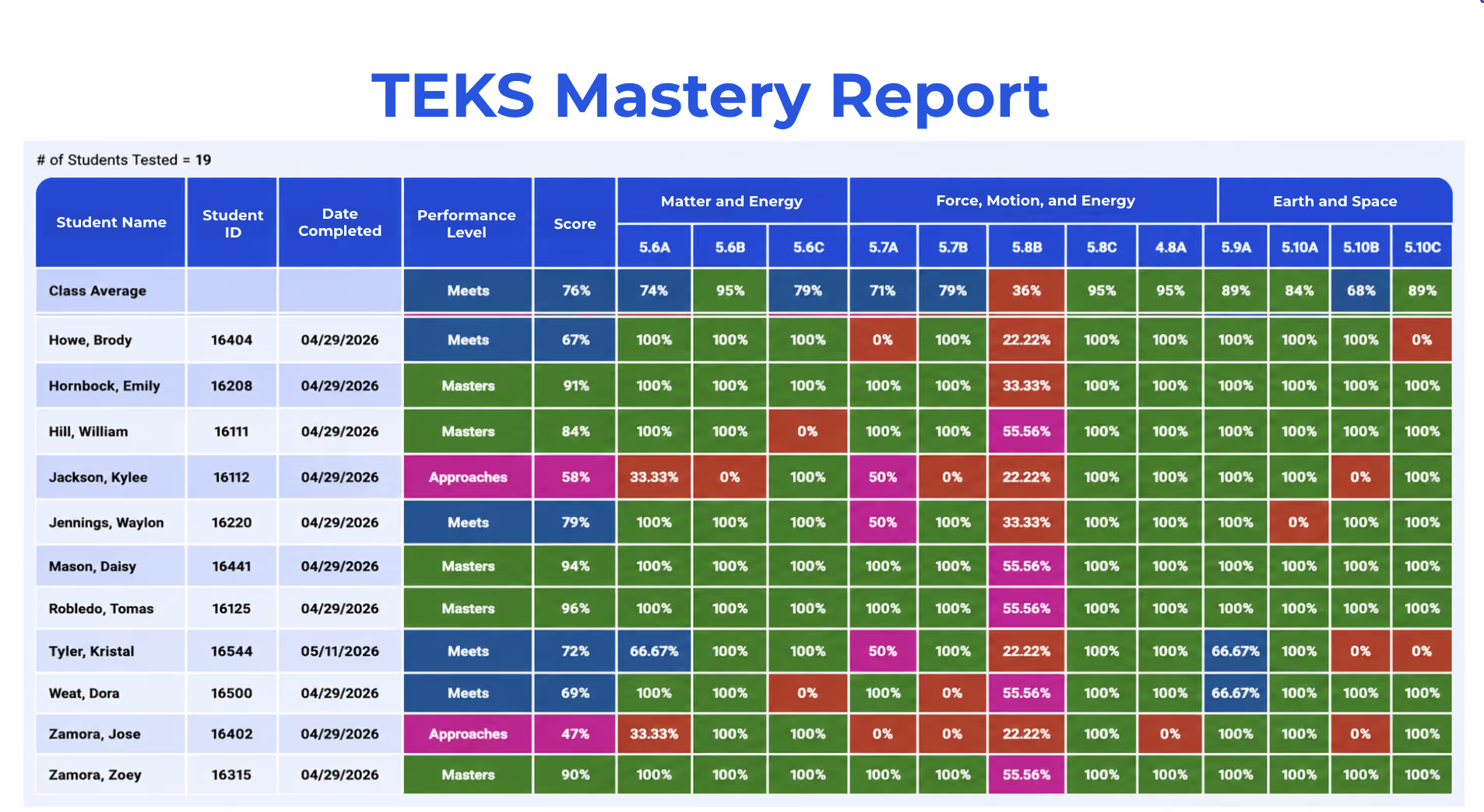
Every Growth Assessment and STAAR® practice test now feeds a TEKS Mastery Report, showing performance by individual TEKS and strand rather than just an overall score.
What You'll Love
- Color-coded results show mastered vs. needs-support at a glance
- Available at the teacher, campus, and district level
- Turns assessment data into a clear next step for instruction
Overview
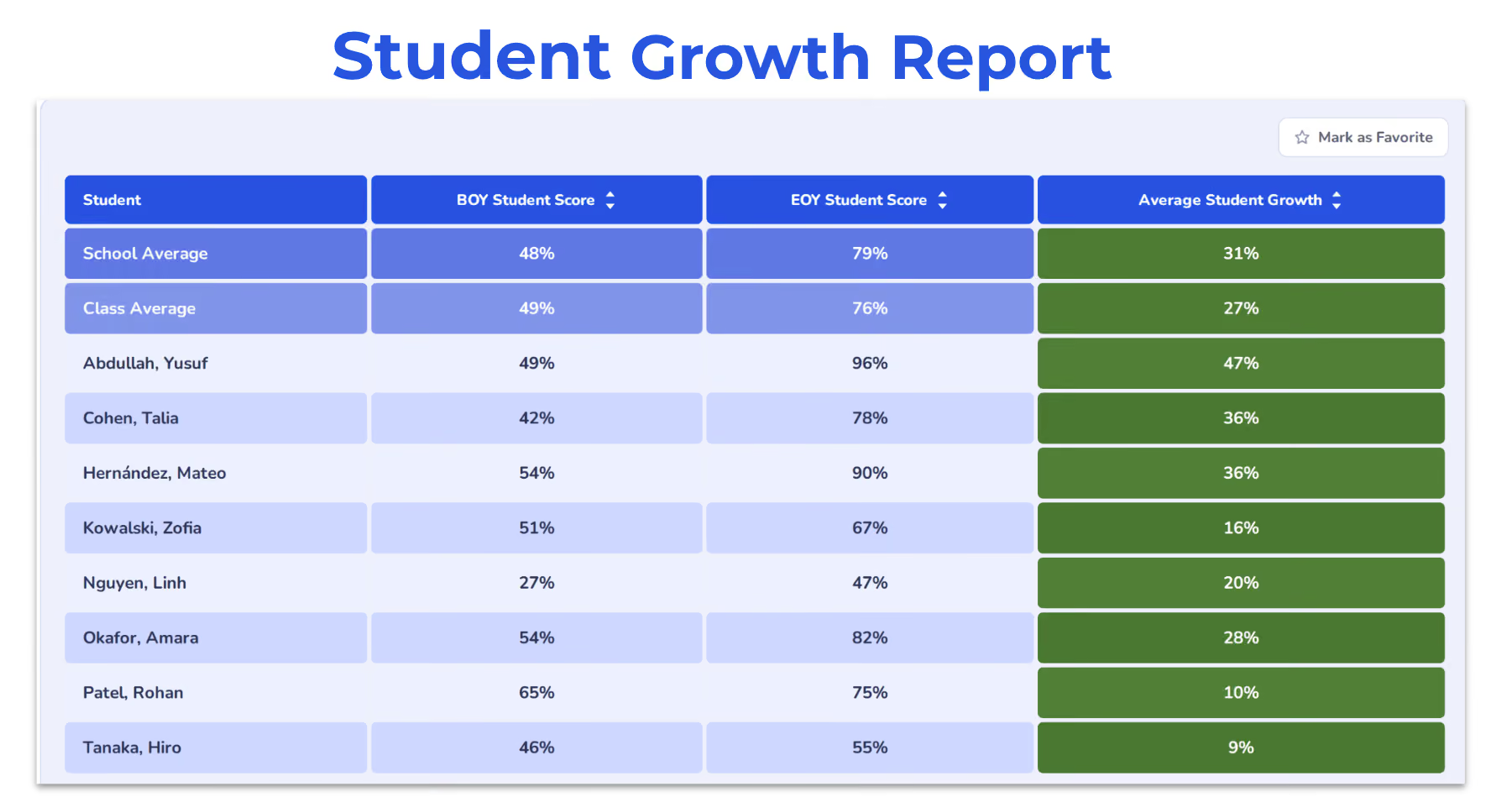
See Beginning-of-Year and End-of-Year scores side by side for every student, with average growth calculated automatically for any student, class, or school.
What You'll Love
- Compare individual growth to the class average automatically
- Available to both teachers and administrators
- One clear picture of growth to bring into any data conversation
STAAR® Review
Spring 2027 is the first year of full 2024 TEKS implementation. Dynamic Science is already built for it.
Overview
Spring 2027 marks full implementation of the 2024 Science TEKS. That means:
- 3rd grade TEKS will now be reflected on the Elementary STAAR®
- 6th grade content on the Middle School STAAR®.
What You'll Love
- Know exactly what's changing before spring 2027 arrives
- Every STAAR Review module already aligns to the complete 2024 TEKS
- Nothing new to plan for — Dynamic Science is ready today
Overview
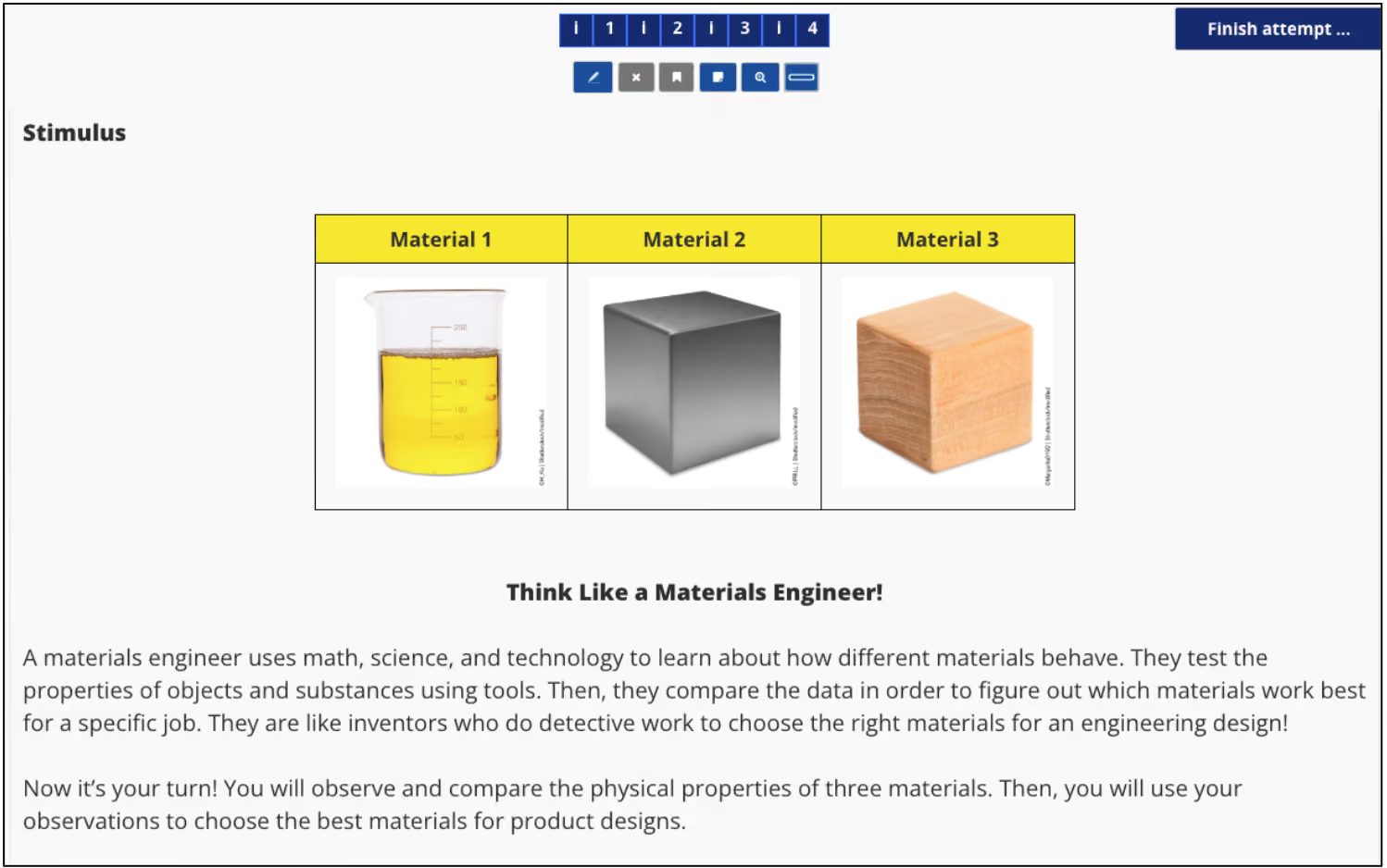
New 3rd and 6th grade Interactive Study Guides, built in the same cluster-item format now used on STAAR®, are included in every student's Personalized Learning Plan (PLP) Trek.
What You'll Love
- Realistic practice with the newer, multi-part STAAR question format
- Built directly into every student's PLP — nothing extra to assign
- Gives students a head start before test day, not a surprise on it.
Support for the New ELPS
TEKS-specific guidance for the state's move from 4 to 5 English Language Proficiency Standards levels.
Overview
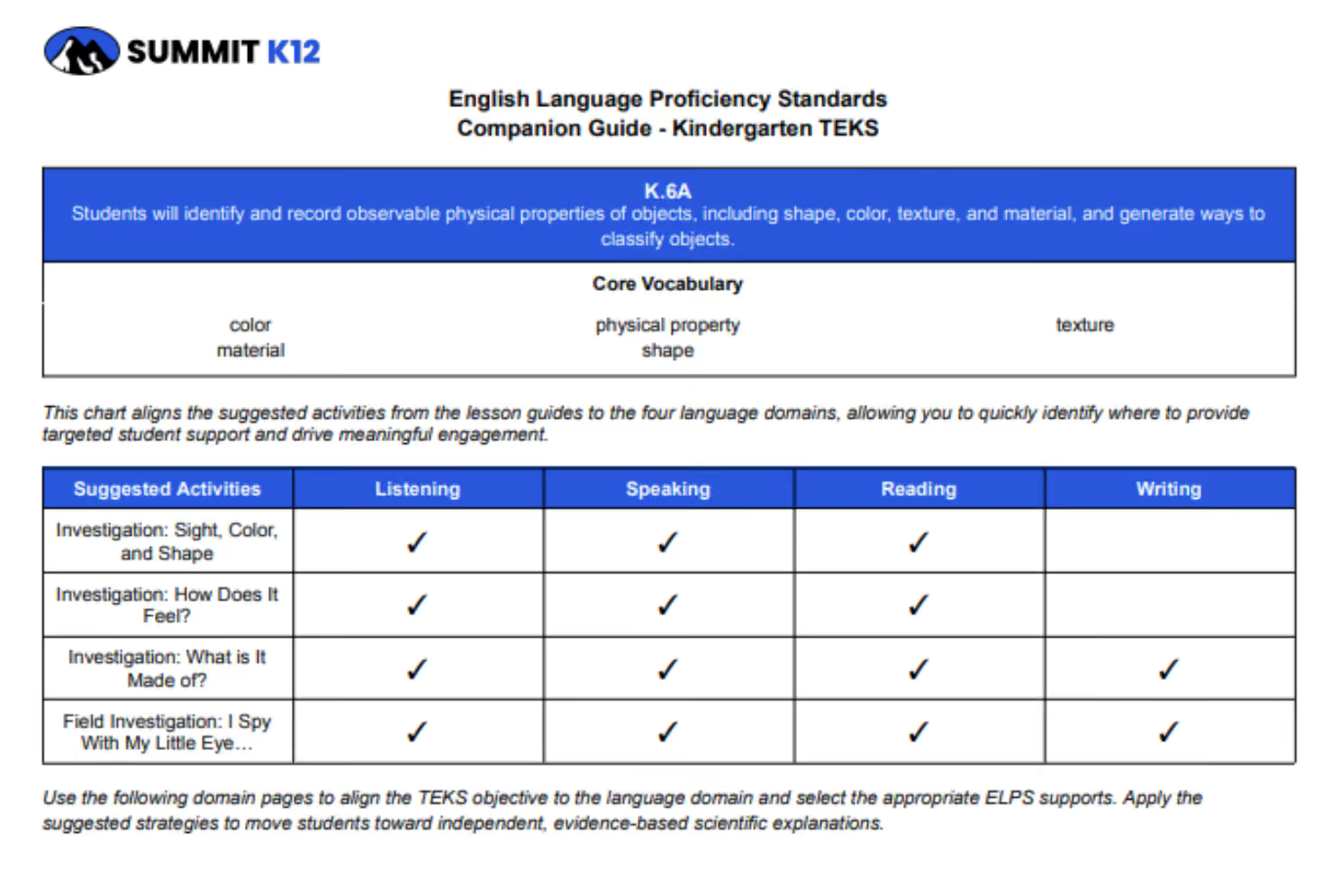
To support the implementation of the new ELPS Proficiency Levels and CBLI in Science, new ELPS Companion Documents give teachers a TEKS-by-TEKS guide to the state's updated 5-level proficiency system, available across K-8, Biology, Chemistry, Physics, and IPC.
What You'll Love
- Teachers see exactly how each lesson in Dynamic Science supports language acquisition within the content area
- Strategies and supports called out for every proficiency level
- Language support built into daily planning, not handled separately
Updated Assessment Bank
Build, find, and share assessments faster — with more control over what students see.
Overview
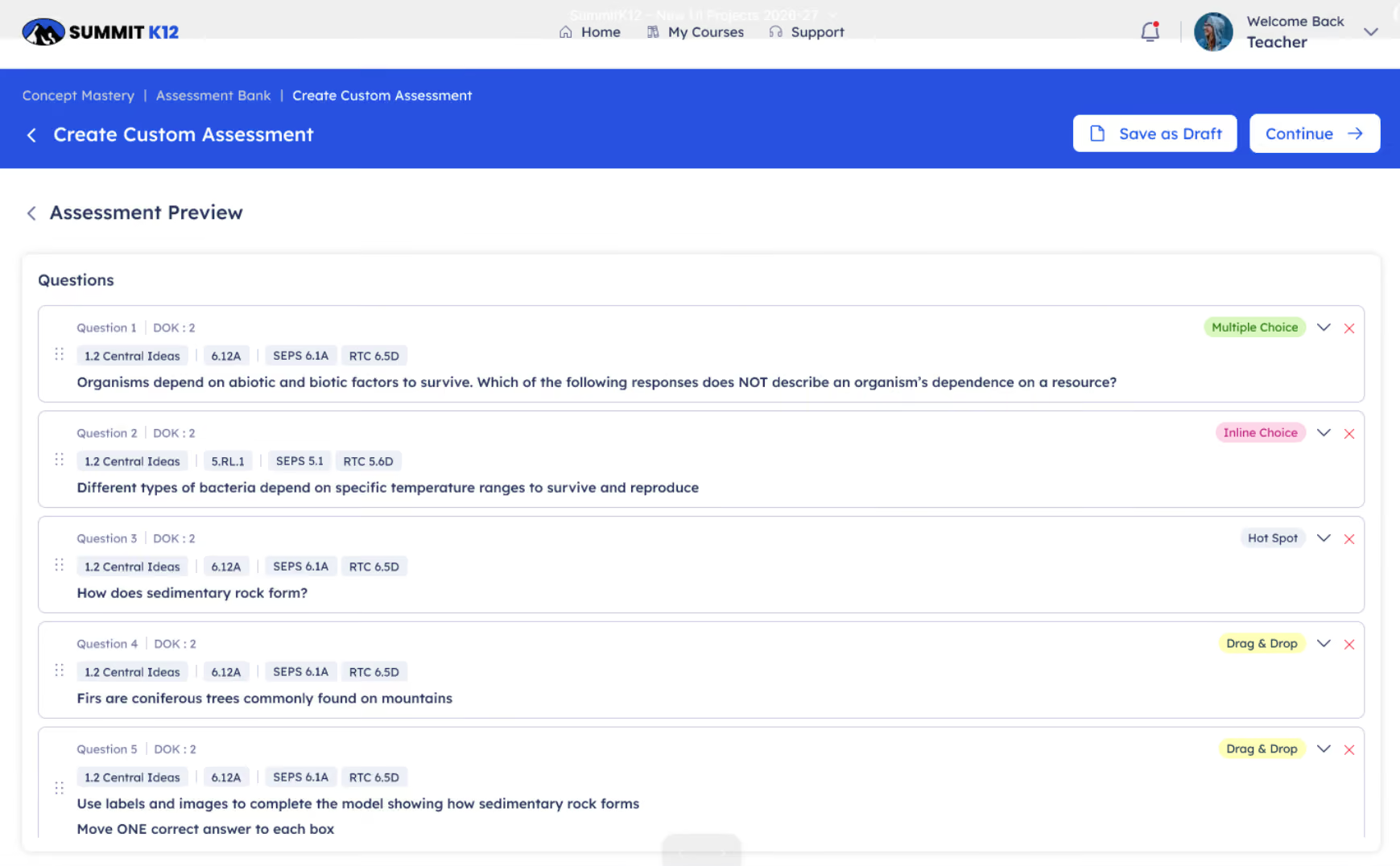
Updated assessment creation features now offer greater flexibility.
What You'll Love
- Customize Assessment Length
Tailor the number of items to better align with specific instructional goals and student requirements. - Modify Item Order
Easily rearrange the sequence of questions as needed.
- Manage Content
Seamlessly add or remove individual assessment items.
Overview
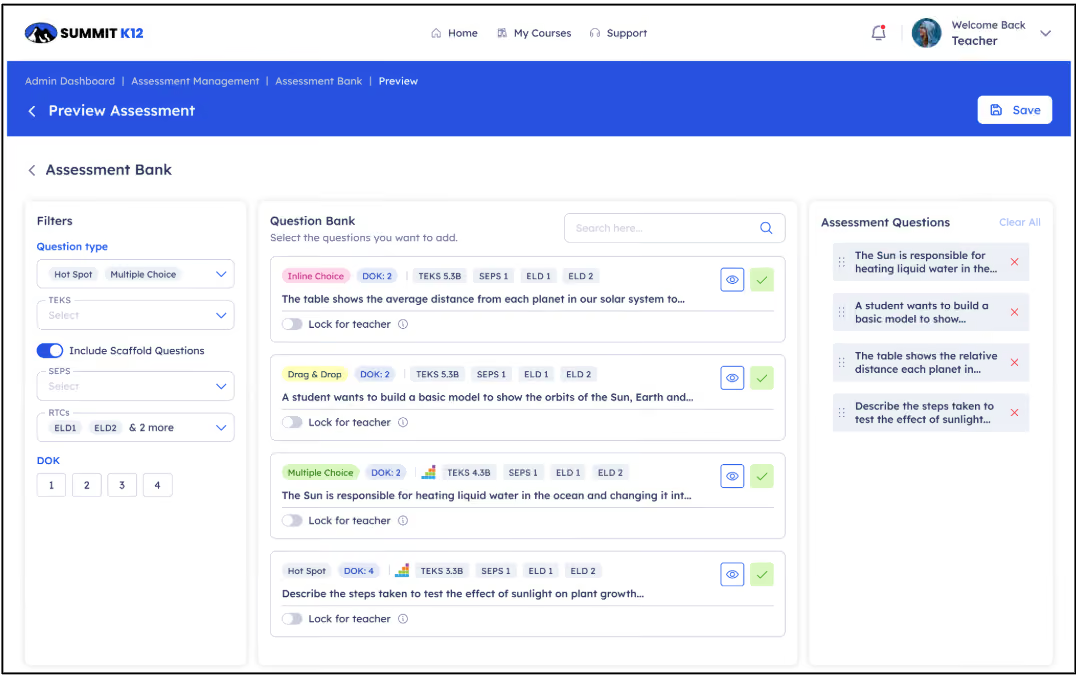
Find the right item faster by filtering the assessment bank by question type, TEKS or multiple TEKS, scaffolded TEKS, Scientific and Engineering Practices, Recurring Themes and Concepts, or DOK level.
What You'll Love
- Filter by TEKS, SEP, RTC, or DOK level in seconds
- Less time searching, more time teaching
- Find precisely the rigor and standard you need
Overview
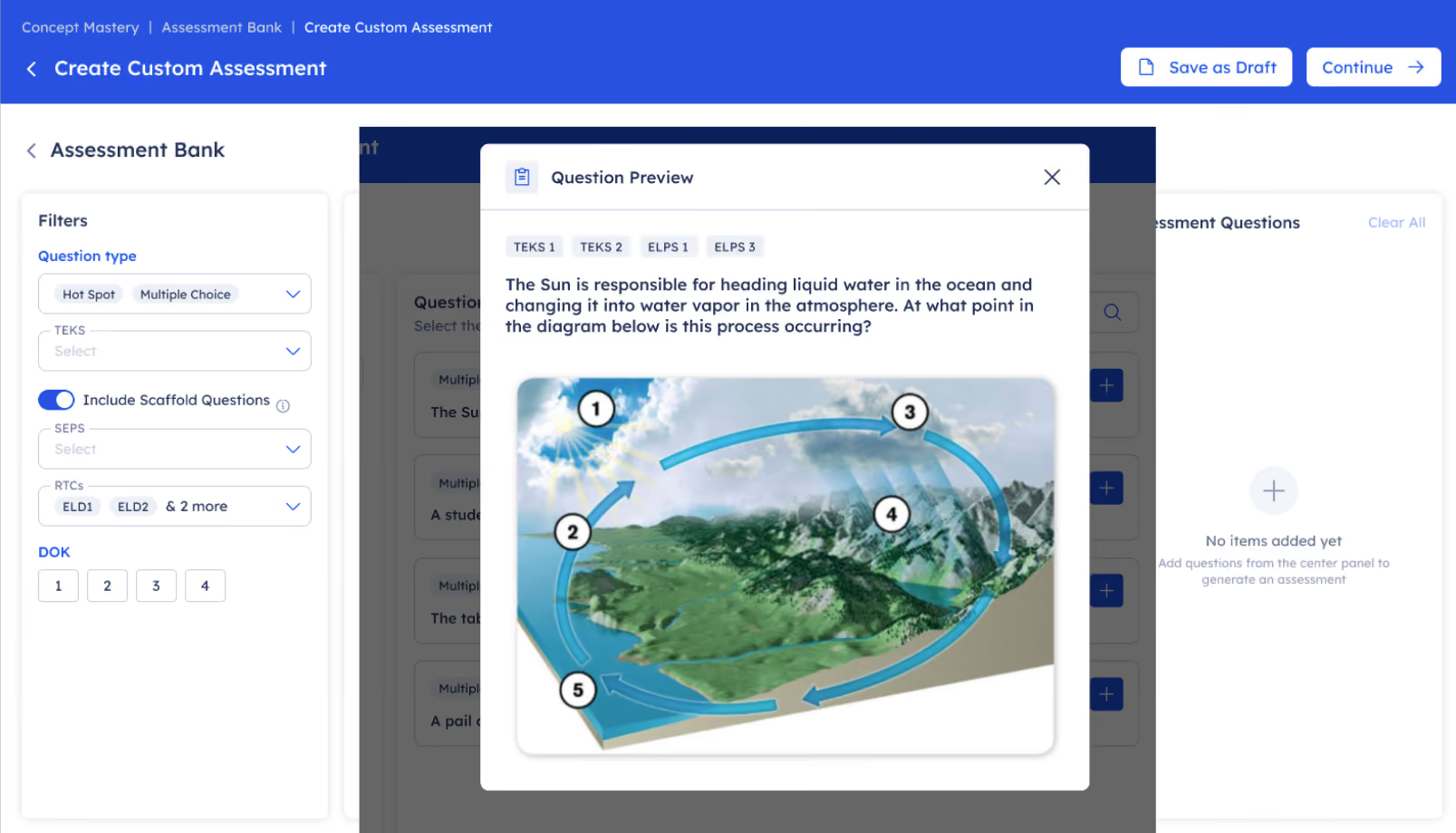
See the full question and every answer choice during item selection, before you add it to an assessment.
What You'll Love
- Verify alignment before you assign, not after
- Preview full items without leaving the assessment builder
- Build with confidence in the final flow
Overview
Share assessments with individual students, specific classes, or same-course teachers across your campus or district.
What You'll Love
- Share a great assessment with your whole team in one click
- Assign to individual students or entire classes
- Keep every teacher in a course working from the same bank
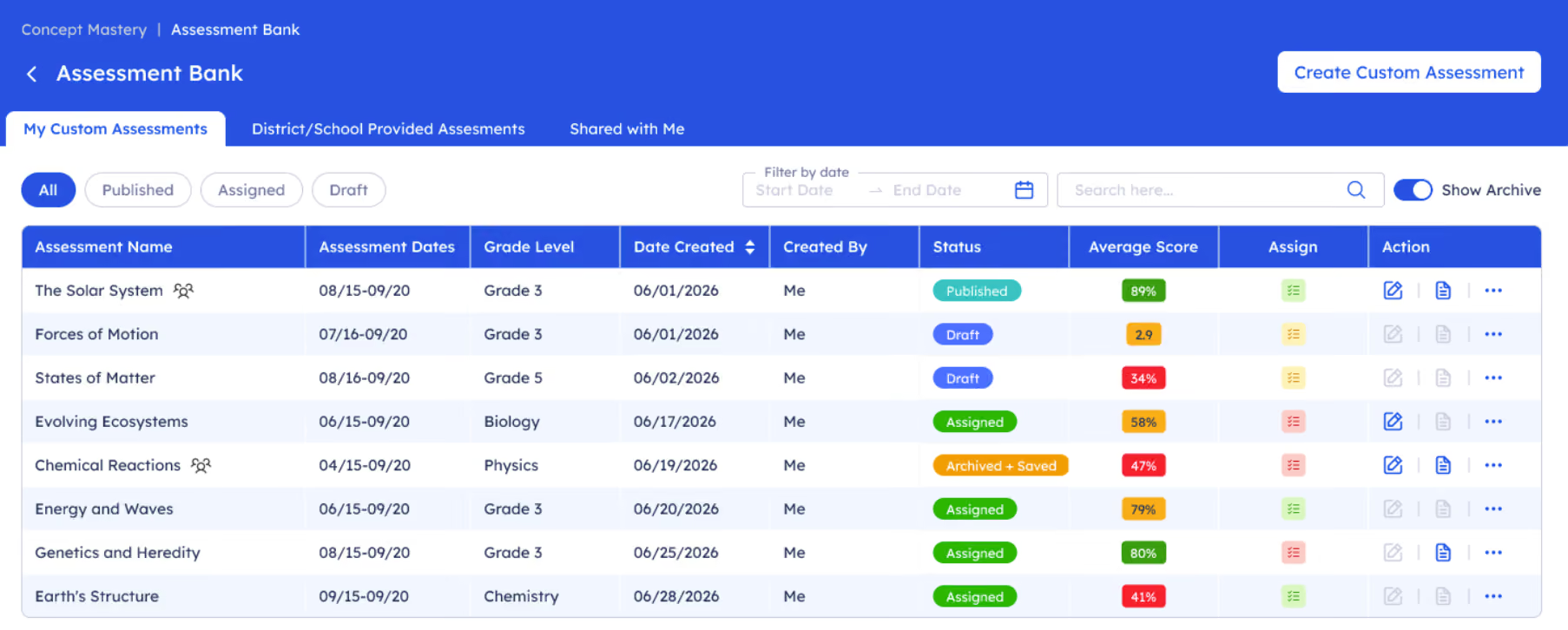
Overview
District administrators can now build assessments from the item bank, share them by course or grade level, lock items for admin-only use, and view results at the district, school, and teacher level.
What You'll Love
- Districts can standardize key assessments across every campus
- Lock items to keep high-stakes questions admin-only
- See results roll up from teacher to school to district
- View data for created assessments at the district, school, and teacher level
Simplified Task Assignment
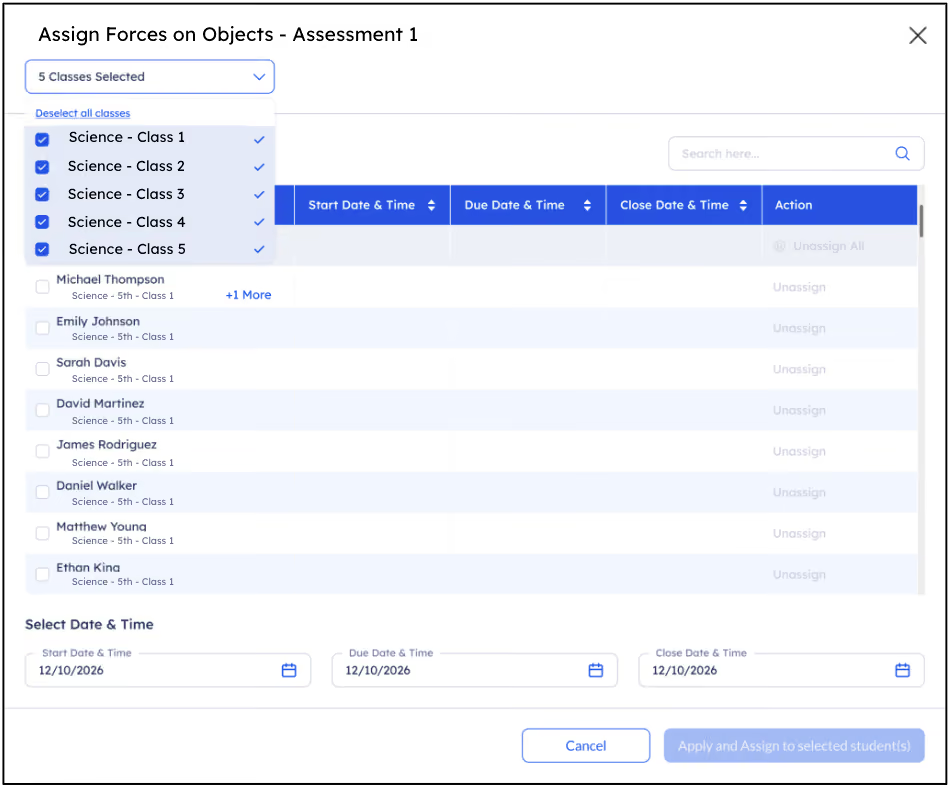
One of the most-requested time-savers from teachers, now live across every course.
Overview
Assign a single assignment across every class you teach — or hand-pick specific students across multiple classes — all from one screen.
What You'll Love
- No more duplicating the same assignment class by class
- Target specific students without leaving the assignment screen
- Real time back for planning, feedback, and working with students
Accelerated Science
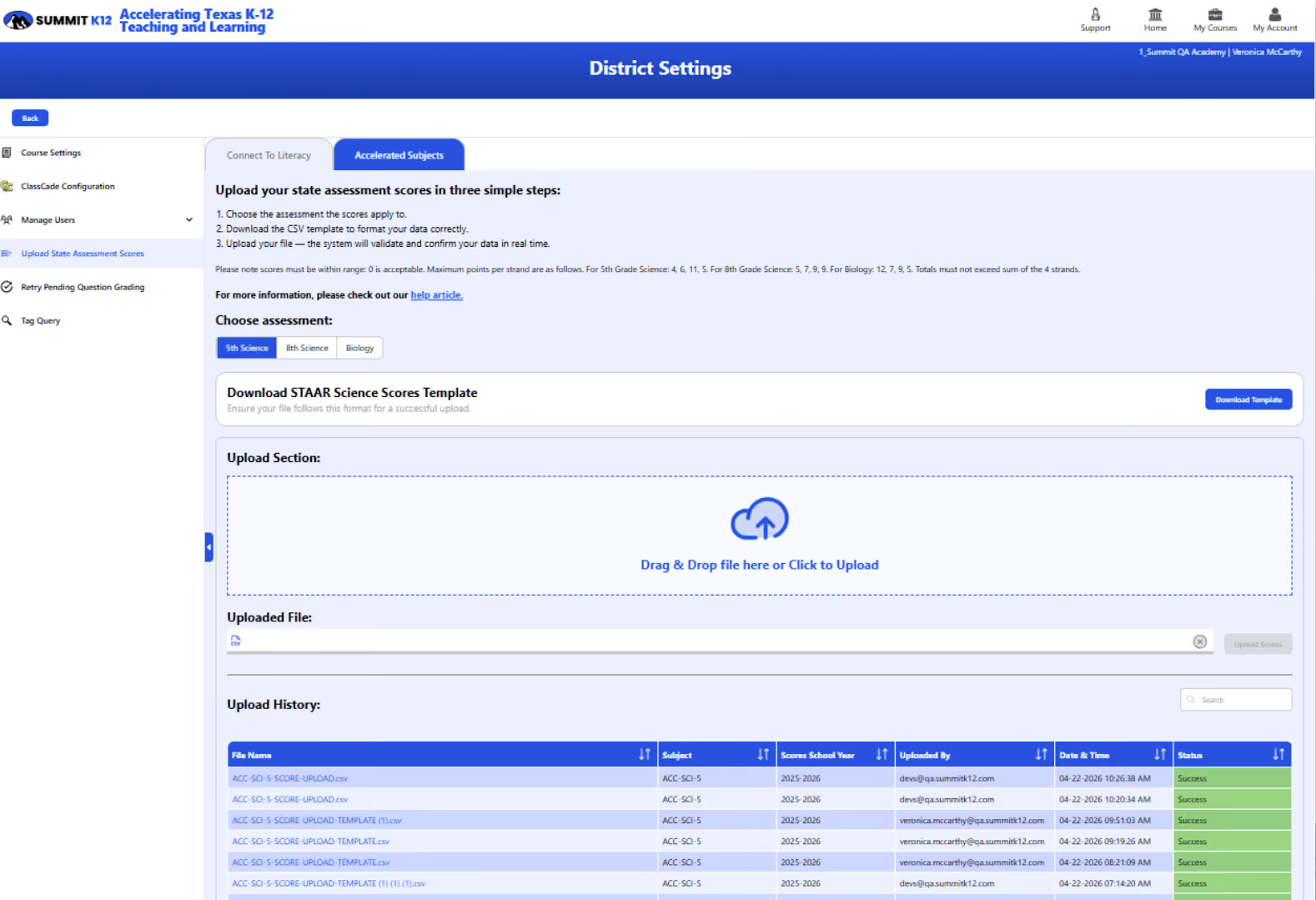
One less test to give. Personalized Learning Plans now build themselves from official STAAR® scores.
Overview
Accelerated Science no longer requires a separate placement test.
Upload official STAAR® scores, and the platform automatically builds each student's Personalized Learning Plan, sequenced from the strand with the greatest need to the least.
More about Accelerate Science
- No extra placement test
- PLPs are prioritized by strand need automatically
- Meets HB 1416 accelerated instruction requirements
- Available for Elementary, Middle School, and Biology Science STAAR remediation